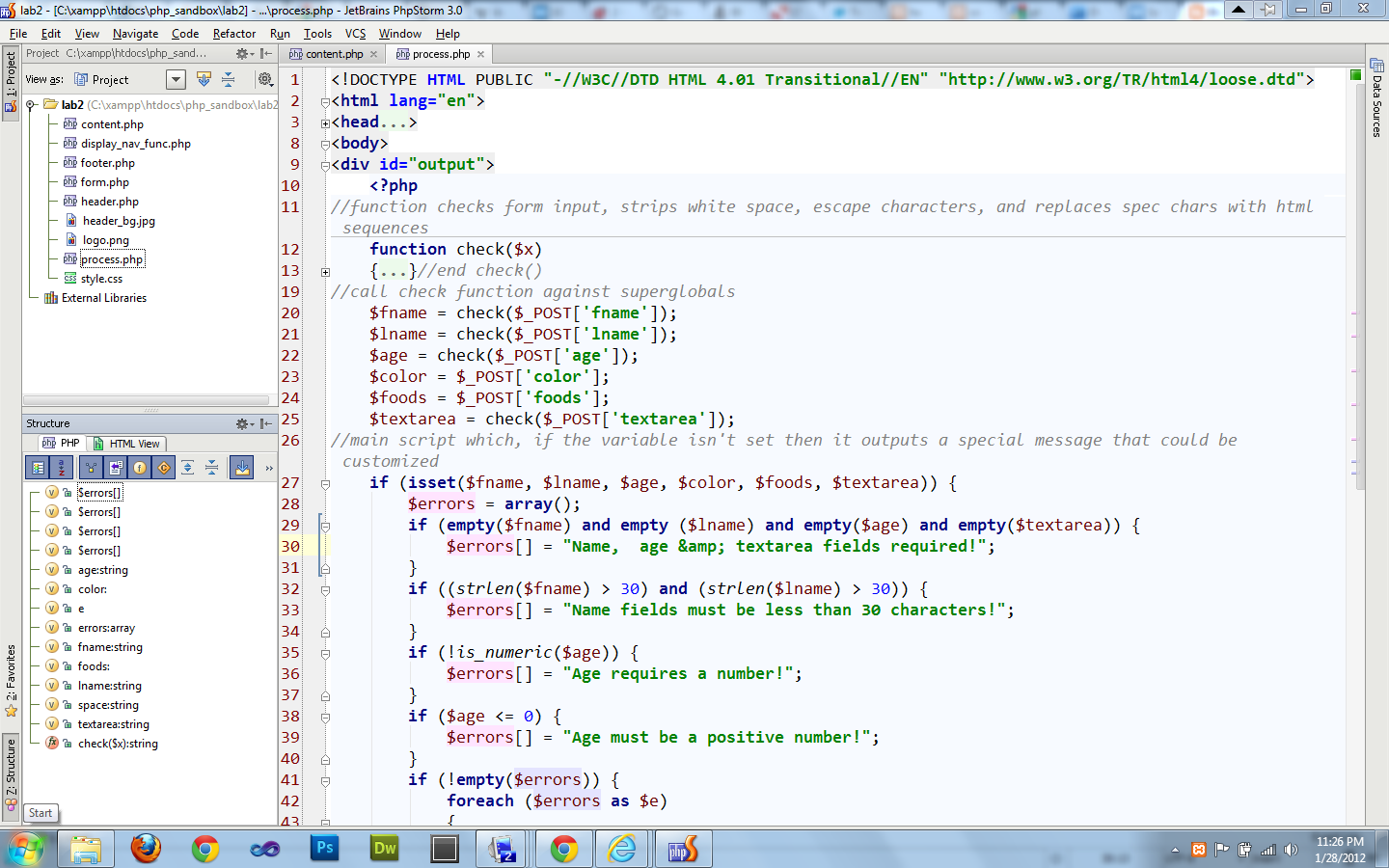
This is very simple. I'm just going to post 3 images that will explain how to do this:
It's that easy. Enjoy.
26 July 2013
20 July 2013
Install Python, Virtualenv, Virtualenvwrapper on OS X using Homebrew: The world's easiest guide
The world's simplest instructions in the world for installing Python, virtualenv, virtualenvwrapper on OS X using Homebrew for Apache and MySQL.
1) Apache: Use OS X's Apache installation. To run and test apache :
sudo apachectl start
sudo apachectl stop
5) Upgrade the distribution:
pip install --upgrade distribute
6) Upgrade install pip:
pip install --upgrade pip
7) Install virtualenv:
1) Apache: Use OS X's Apache installation. To run and test apache :
sudo apachectl start
sudo apachectl stop
sudo apachectl restart
2) Bashrc/Bash_Profile: If you don't have ~/.bashrc or ~/.bash_profile create them using.
touch ~/.bashrc
touch ~/.bash_profile
(unlike other terminal apps in the Linux/Unix world OS X terminal.app runs .bash_profile every time you open a new terminal window. See this excellent piece on the topic. We will come back to these files in a minute)
3) Installing Homebrew:
Then run:
brew doctor
4) Install Python. OS X comes with Python, but you want to install the latest 2.x version using Homebrew.
brew install python
4) Install Python. OS X comes with Python, but you want to install the latest 2.x version using Homebrew.
brew install python
5) Upgrade the distribution:
pip install --upgrade distribute
6) Upgrade install pip:
pip install --upgrade pip
7) Install virtualenv:
pip install virtualenv
8) Install virtualenvwrapper:
pip install virtualenvwrapper
9) Install MySQL:
brew install mysql
(to start/stop or restart MySQL type: mysql.server start/stop/restart)
10) Install MySQL-python, needed for python to talk to MySQL:
pip install MySQL-python
11) Your Path:
8) Install virtualenvwrapper:
pip install virtualenvwrapper
9) Install MySQL:
brew install mysql
(to start/stop or restart MySQL type: mysql.server start/stop/restart)
10) Install MySQL-python, needed for python to talk to MySQL:
pip install MySQL-python
11) Your Path:
sudo nano /etc/paths
make sure /usr/local/bin comes before /usr/bin. Mine looks like this:
/usr/local/bin
/usr/bin
/bin
/usr/sbin
/sbin
12) Environment Variables: Set your .bashrc and .bash_profile to include these entries respectively:
export VIRTUALENVWRAPPER_PYTHON=/usr/local/bin/python
export VIRTUALENVWRAPPER_VIRTUALENV=/usr/local/bin/virtualenv
export WORKON_HOME=$HOME/.virtualenvs
source /usr/local/bin/virtualenvwrapper.sh
export VIRTUALENVWRAPPER_VIRTUALENV=/usr/local/bin/virtualenv
export WORKON_HOME=$HOME/.virtualenvs
source /usr/local/bin/virtualenvwrapper.sh
(this is for .bashrc)
source ~/.bashrc
(This is for .bash_profile. Basically, .bash_profile runs every time you create a terminal window and it calls .bashrc which in os x only runs when you log in to a terminal window)
also run:
source ~/.bash_profile
source ~/.bashrc
(to execute these changes)
13) Get started. Some basic commands:
Create a new project:
mkvirtualenv MyProject (the project files are in ~/.virtualenvs)
Work on the project:
workon MyProject
Install stuff:
pip install django
Get out of there:
deactivate
Remove it:
rmvirtualenv MyProject
It's that simple! Enjoy. (Thanx Josh)
10 August 2012
Why MAMP is Better Than XAMPP?
Just thought I would post a very quick little point for those working with a local server on a Mac. It's pretty easy to set up the built in server on the Mac and do it that way, but personally I prefer just using a pre-packaged solution.
For years I've been using XAMPP. Not sure why I thought it was better. On Windows it's definitely a great choice. But on OS X it's not. The trouble is XAMPP has not been updated in quite a while on the Mac side. So, you'll be using pretty old versions of PHP and MYSQL. Also, there are lots of glitches with it. For instance, it doesn't correctly set folder and file permissions. You have to set these manually, which is pretty ridiculous.
Anyhow, I just recently switched to MAMP and it's much smoother. Everything is up to date, xdebug worked pretty much out of the box. No trouble with file permissions, and stuff is a lot more current. So, for now, avoid XAMPP on the Mac until they start supporting it properly. MAMP is good. XAMPP not so much.
For years I've been using XAMPP. Not sure why I thought it was better. On Windows it's definitely a great choice. But on OS X it's not. The trouble is XAMPP has not been updated in quite a while on the Mac side. So, you'll be using pretty old versions of PHP and MYSQL. Also, there are lots of glitches with it. For instance, it doesn't correctly set folder and file permissions. You have to set these manually, which is pretty ridiculous.
Anyhow, I just recently switched to MAMP and it's much smoother. Everything is up to date, xdebug worked pretty much out of the box. No trouble with file permissions, and stuff is a lot more current. So, for now, avoid XAMPP on the Mac until they start supporting it properly. MAMP is good. XAMPP not so much.
13 July 2012
php.ini file include_path isn't showing new path
Just a very quick post that might help somebody stuck in the hell of having php.ini not recording your changes to the include_path. Here's some things to check.
1) shut off apache to edit the file.
2) make sure you have permission to edit the file. you might have to change permissions. check to see if you're writing to the file by checking the time the file was last updated.
3) if you've installed pear check to see if pear didn't add something to the php.ini file near the bottom. it's basically another include_path configuration. since there can only be one it will override the one at the top of the file. simply add your changes to the one configuration are and you should be good to go.
4) another thing to check is whether you can write to the file in another configuration option. just throw something down and restart apache and check it. if you can write to the file but just not see include_path then you have another include_path somewhere in the file that's overriding your settings.
5) the other obvious thing is to check to make sure the php.ini file is the one that's being loaded. do this by looking in the phpinfo() file. you can add this to a php file and run it in htdocs or wherever your root is, or in the case of xampp just run localhost and find the phpinfor() on the left bar.
hope this helps.
1) shut off apache to edit the file.
2) make sure you have permission to edit the file. you might have to change permissions. check to see if you're writing to the file by checking the time the file was last updated.
3) if you've installed pear check to see if pear didn't add something to the php.ini file near the bottom. it's basically another include_path configuration. since there can only be one it will override the one at the top of the file. simply add your changes to the one configuration are and you should be good to go.
4) another thing to check is whether you can write to the file in another configuration option. just throw something down and restart apache and check it. if you can write to the file but just not see include_path then you have another include_path somewhere in the file that's overriding your settings.
5) the other obvious thing is to check to make sure the php.ini file is the one that's being loaded. do this by looking in the phpinfo() file. you can add this to a php file and run it in htdocs or wherever your root is, or in the case of xampp just run localhost and find the phpinfor() on the left bar.
hope this helps.
24 March 2012
Cheapest, most minimal, and best iPad case
My tip is simple. Go to the hardware store and ask for the small felt pads that are used on the inside of cupboard doors. They are very tough, have great adhesion and they will allow you to put the iPad down on most surfaces without worrying about scratching your baby. The bonus is that you can still have a naked iPad. If you're like me, I just slide mine into a laptop compartment of my knapsack when I go out with it.
06 March 2012
Best Way To Implement Basic Version Control While Keeping Important Files In Sync Between Computers
![]() |
| Dropbox |
05 March 2012
How to Configure PHPStorm to Open Php Files in Your Browser in Localhost
How do you get PHPStorm to show your PHP files in your browser by clicking on the little browser icons in the right part of the window or right clicking and opening in your browser. PHPStorm doesn't just do this automatically. You have to configure it, and the configuration is entirely obvious. Here's what you have to do.
I'm assuming you have XAMPP or its equivalent installed and running on your machine. I'm also assuming you dumped your php files in the htdocs directory of XAMPP and that you can view your files in your browser just by typing the address using localhost/yourfile.php. And now you want to be able to open your files from within PHPStorm.
28 January 2012
Cross Platform PHP Development With Or Without An IDE
| PHPstorm 3.x |
I'm into PHP development and I've gotten to the point where I need a development tool that can handle proper PHP debugging. I've spent a couple of days reading things on the net and trying various solutions. So far I've checked out Netbeans 7.1, PHPstorm 3.0, Komodo Edit, and Eclipse PTD. I've played with some of these before, but never for a sustained time. All of these IDE's are butt ugly in my opinion. I guess I'm picky. I know, you can get used to ugly coding environments with time. I used to love Windows XP at one time, after all. I'm not going to go into too many details here, but I found that Netbeans 7.1 and Komodo were better than Eclipse. But I think of the IDE's out there for PHP it's hard to beat PHPstorm 3.x. It reminds me of visual studio in a lot of ways, except snappier.
27 September 2011
Mac OS X's Finder: The Most Important Tweak to Make Search Function
Apple has made some decisions with Finder that some users might find a bit annoying. So, for instance, if you just open Finder and you hit command + F you get this window by default:

This is a completely useless result. On my Mac the search in fact chokes because so many results are found. This is almost always not what you want in a search result. So, you have to follow these steps to solve the issue and bring some sanity to Finder.
First, you need to change "search the current folder" setting in the Finder advanced preferences.

This is a completely useless result. On my Mac the search in fact chokes because so many results are found. This is almost always not what you want in a search result. So, you have to follow these steps to solve the issue and bring some sanity to Finder.
First, you need to change "search the current folder" setting in the Finder advanced preferences.
Labels:
Apple,
Best Tweaks,
Finder,
Mac,
OSX,
Snow Leopard,
Tips,
Tweaks
26 April 2011
Earth Day: Vandana Shiva and Maude Barlow
I just wanted to draw your attention to a very inspiring talk by two amazing human beings: Vandana Shiva and Maude Barlow. This is a Democracy Now Earth Day special. In the discussion they both claim that the only way humans will survive is for us to recognize the intrinsic worth of the nonhuman world. They speak about this in terms of the rights of nature. I spent a number of years reading the philosophical literature on this issue, and despite what many foolish academics have argued, the idea of recognizing the intrinsic worth of the natural world is key to moving past the current silliness that environmentalism has become. Rather than this being a strange and foreign view, as many Westerners seem to believe, Vandana Shiva notes that this is actually the dominant view among non-industrial people around the world. Anyhow, check out the video clip and post your thoughts below. http://www.democracynow.org/2011/4/22/earth_day_special_vandana_shiva_and
25 March 2011
Firefox 4 on OS X--No PDF Support!!!
Thought I would just post some quick thoughts on the new Firefox 4. I installed it today on my Macbook Pro i7 in OS X (10.6.7). I made sure I didn't write over my Firefox 3 install. It was a lot of fiddling to install all my addons. My first impressions are that it's definitely snappier. However, I ran into a couple of very serious problems within minutes that make Firefox 4 a nonstarter for now for serious Mac users.
24 February 2011
Domain Registry of Canada SCAM
The letter starts out with the words "As a courtesy to domain name holders...". If you got a letter in the mail that looks like this one I posted do not pay these crooks. Shred it. This is obviously a scam to try to get your to switch from your current domain registrar, in my case it was GoDaddy, to this company at hugely inflated prices. The document has the look of a Canadian Government document, designed to fool the unsuspecting person. If you don't look carefully you may be fooled by this document into thinking that you are about to lose your domain name unless you fork over some exorbitant sum of money. The scam is widely reported all over the internet. What's surprising is that such a business is permitted to operate without government shutting it down. The government is apparently aware of it Competition Bureau.
19 February 2011
Never Use Toilet Paper Again: Save a Fortune & Live More Hygienically
You probably use $50 in toilet paper a year, even if you buy the cheap stuff! Times that by the number of people in your family and it can add up fast. I recently installed a bidet on two of my toilets and it's so much better than wiping with paper. I ordered mine from Hydrojet for $25 plus shipping to Canada, which was around $5 USPS. I'm happy with this brand so far and recommend it. It took all of 5 minutes to install. I can't believe I didn't think of this 30 years ago; I would have saved $1500 in toilet paper if I had! So no more carrying big bundles of toilet paper home from the store; no more storing the stuff. It's way more civilized, cleaner and hygienic. Finally, I can count myself among those who isn't wiping his butt on the trees of the world. Brilliant.
Troubleshooting Air Video and/or StreamToMe Connection on OS X
![]() |
| Screen Shot Of Culprit |
22 March 2010
Wabi-Sabi & the Reverence for Imperfection
Perfectionism is, at the very least, a recipe for discontent--one I'm all too familiar with. I spent more years than I care to admit as a doctorate student trying to perfect a dissertation and in the process making myself, and those around me, crazy. Perhaps this is why I find the concept of Wabi-Sabi so refreshing. It feels like a home-coming.
I like to contrast Wabi-sabi with perfectionism, even if that's not the best contrast. It's important to notice that perfectionism isn't just an attribute of individuals, but also of cultures. Looking around the Modern West, I see obsessive perfectionism right at the heart of our collective identity. We pride ourselves in it and look down on more "relaxed" cultures, even if it's no longer fashionable to call them "primitive". To say that the Modern West has something to prove is an understatement. We've stepped in to fill the job of the old Christian God, and we're collectively scrambling to bone up for the job, for which we are a bit under-qualified. Perhaps this is part of the reason we're so obsessed with all things productivity related.
11 December 2009
Brew the Best Cup of Loose Tea Ever, Effortlessly
I've brewed tea in all sorts of ways. My favourite ways up until recently were to brew it 1) in a bodum, 2) in a Japanese cast tea pot, or 3) brew it in a glass mug with a stainless strainer (the kind you buy at Japanese shops). Forget about tea balls, etc. because loose tea needs to be able to float freely.
Macbook Pro 2.26 Ghz 13 Inch: Brief Review
Thought I'd do a quick post on my impressions of the June 2009 release of the Macbook Pro 13" entry level configuration. I sold my 2.4 Ghz late 2008 Macbook Unibody in order to finance this purchase. I had updated the stock drive on the previous machine to a 500 GB Seagate. So the update was painless. I just moved the drive over and swapped out the RAM for the 4 GBS I had.
The 2009 Macbook Pro I find feels more solid without that flimsy battery hatch on the 2008 machine. The display is also light years ahead in terms of viewing angles, color and the general look of images, text and webpages. The battery is obviously superior. I found it charged much faster after running it down for the first calibration. Obviously the addition of the extra ports, like SD and Firewire are an added bonus.
03 December 2009
How to speed up Apple's Magic Mouse: MouseZoom
I love the new Magic Mouse. Some people say that the clicking is a bit stiff, and so it is. But I can live with it. I like the way it feels. Coming from a PC, I like a fast mouse. But even with the Magic Mouse cranked to full speed I find it a bit slow for my liking. Enter MouseZoom. It hasn't been updated in a while, but it works great under Snow Leopard. It gives you the ability to get some more speed from the Magic Mouse. Sweet. Download the utility here.
16 May 2009
A brief review of Safari 4 Beta: Possibly the world's best browser?
I'm a recent convert to OS X. I've been a Firefox guy. Gotta love all those plugins! Although you can get Firefox 3.x looking pretty cool on OS X with the GrApple Delicious theme, it isn't integrated with services, which is a pain. Anyhow, I thought I'd give Safari and Camino a whirl. I checked out Camino and it's great too, but I find it a bit limited for my needs in its current iteration, and a bit slow (even 2.x beta). So, I started playing around with Safari 4 beta.
19 March 2009
Use Steel Reinforced Epoxy Putty to Stop Thieves From Stealing Your Bike Parts
Subscribe to:
Posts (Atom)